The challenge
Between a truck’s arrival and departure, people, devices and stages need to work together. Without a shared view, waiting times and incidents remain disconnected.
From physical events to meaningful data. A platform connecting dock operations, tracking every session and revealing where time is lost.
Project developed forMEIBIT
01 / Context
Between a truck’s arrival and departure, people, devices and stages need to work together. Without a shared view, waiting times and incidents remain disconnected.
Centralize events, times and operators in a platform connecting the dock terminal to web-based supervision. Every session retains its context, from the vehicle restraint to the end of the process.
02 / End to end
An architecture connecting event capture with operational and analytical views, using local/cloud synchronization for offline/online continuity.
Terminal + sensors
The operator starts the session. Devices record process events and equipment status.
Worker + ASP.NET Core
The synchronization layer connects the local environment to the cloud, keeping information linked to each session.
Angular + SQL Server
Coordinators and office teams use the web portal to review states, timelines, alerts and indicators.
03 / End-to-end traceability
Explore a loading or unloading session. Each stage connects what happens at the dock with its timing and the people involved.
The arrival of the vehicle establishes the session context and starts time tracking.
Engaging the vehicle restraint is recorded as part of the truck securing sequence.
The door opening is linked to the session to analyze its duration and identify delays.
The ramp event identifies when access is ready for loading or unloading.
Loading or unloading begins, linked to the dock and the operators involved.
The end of the operation allows working time to be measured and compared against the expected duration.
Removing the ramp is part of closing the process and is recorded in the sequence.
Door closure is recorded to complete the analysis of how long it remained open.
Releasing the restraint becomes part of the session history before the vehicle leaves.
Departure completes the journey. The session remains available to review its timeline, duration and alerts.
04 / The operations interface
Original project screenshots. Select a view to see how information is presented to the user.
Dashboard, docks, forklift operators and alerts organized in a shared navigation.
Enlarge image ↗Original project image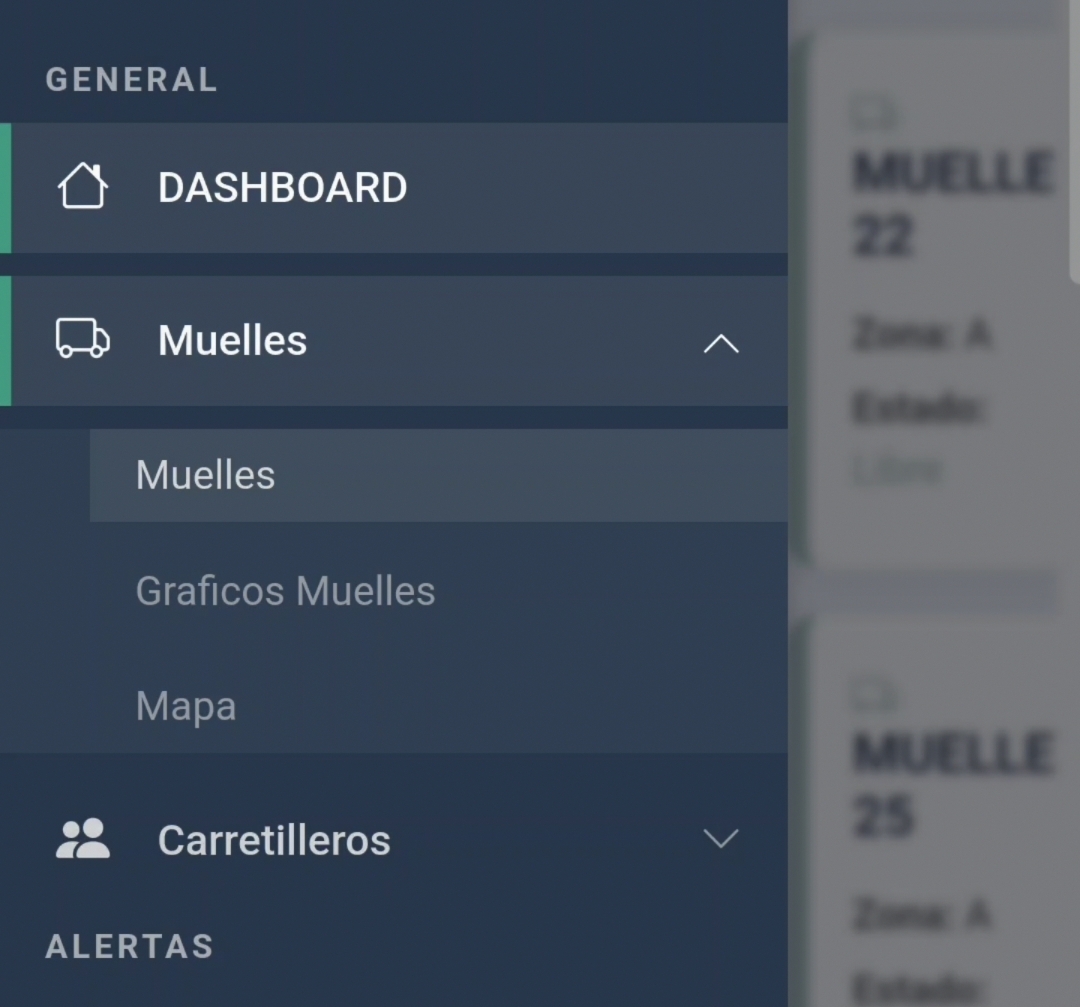
Availability, occupancy, blocked and offline states, together with active alarms.
Enlarge image ↗Original project image
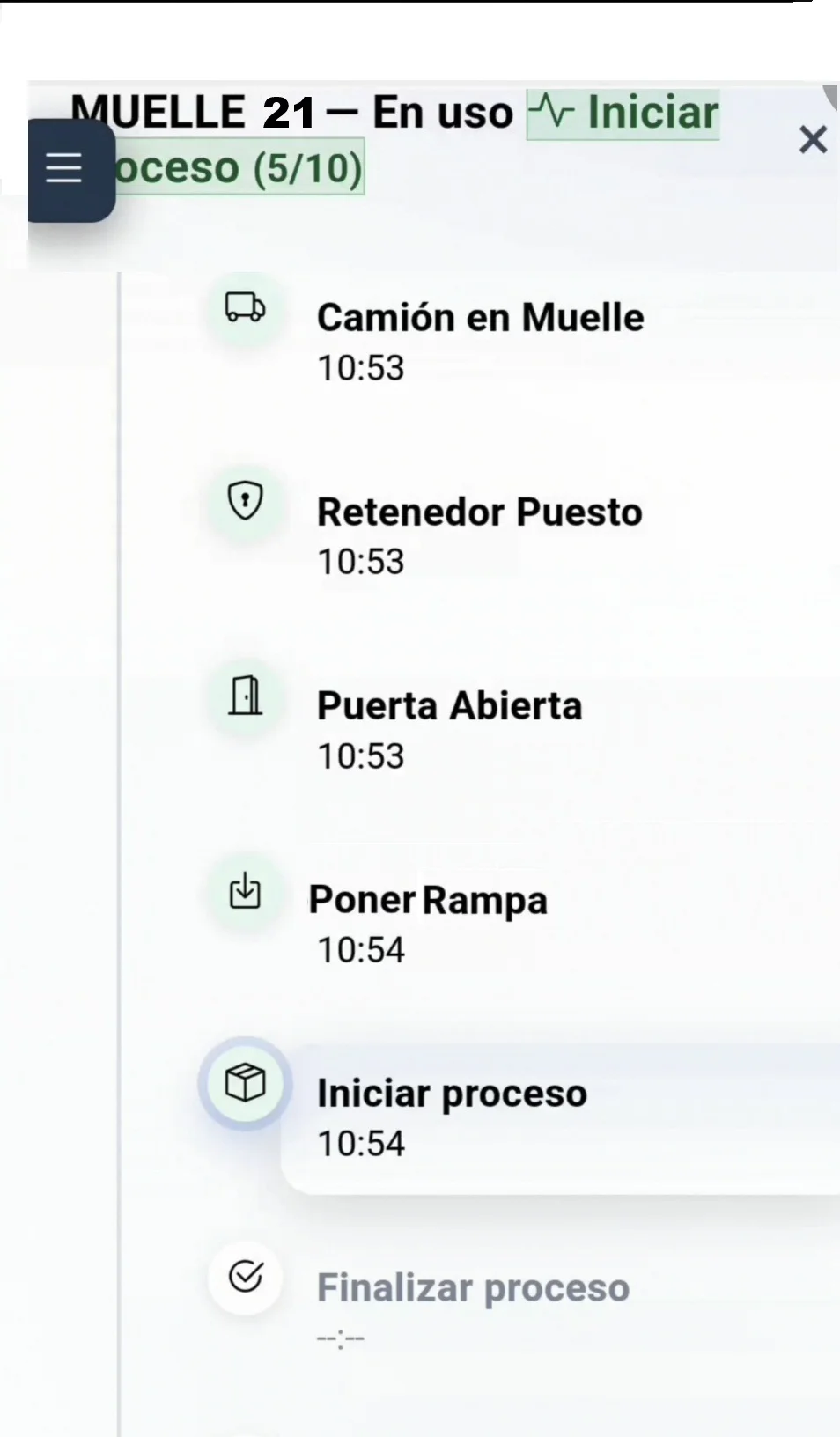
The session sequence shows the current stage and the time of each event.
Enlarge image ↗Original project image
A graphical view to compare durations, recognize waiting times and locate overruns by session.
Enlarge image ↗Original project image
Dashboard, map and dock cards for reviewing the state of the facility.
Dock and operator timelines with stages, sessions and idle time.
Filterable alerts to locate delays and review the context of each event.
Devices, stages, docks, users, schedules and alert parameters.
05 / From records to decisions
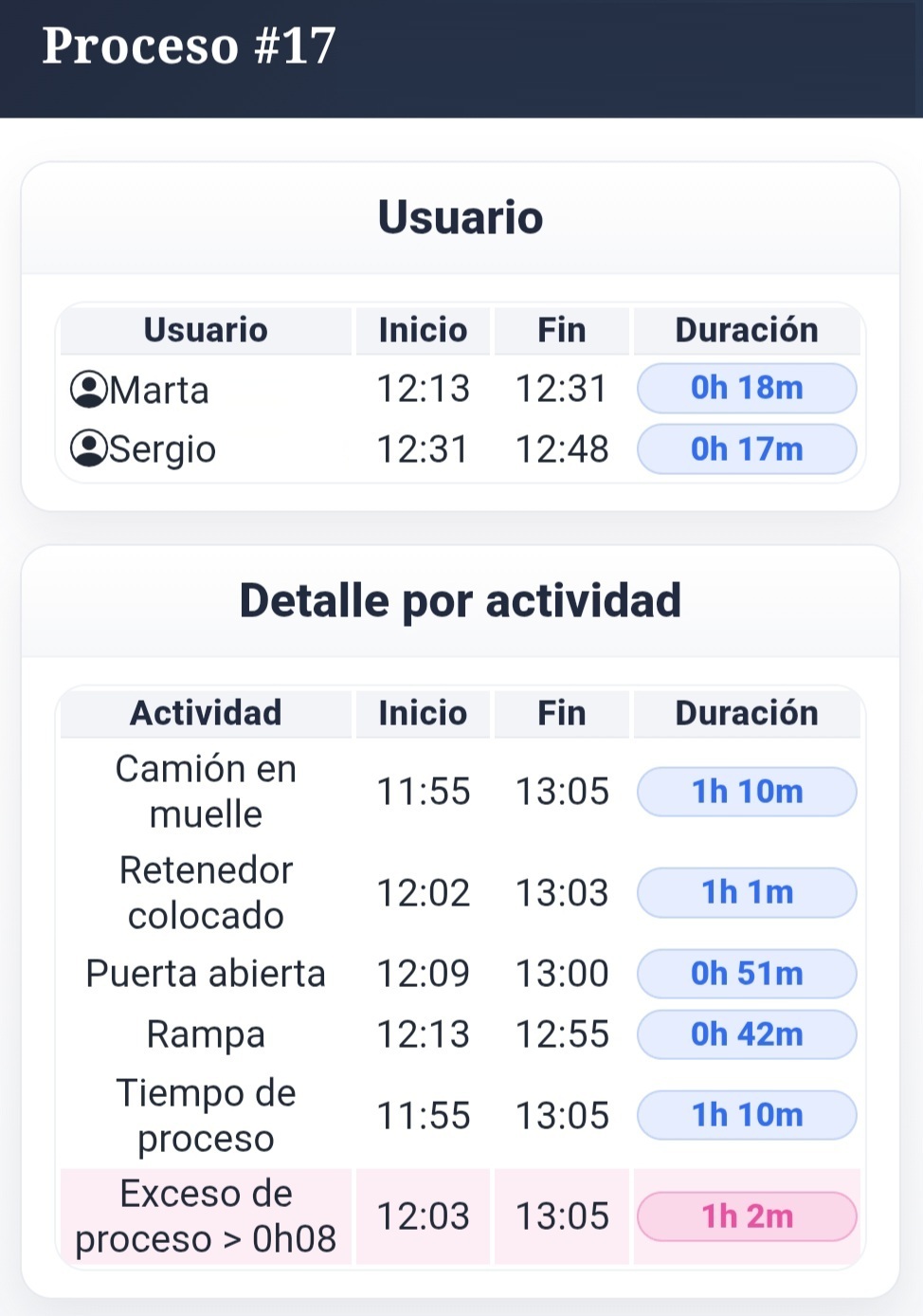
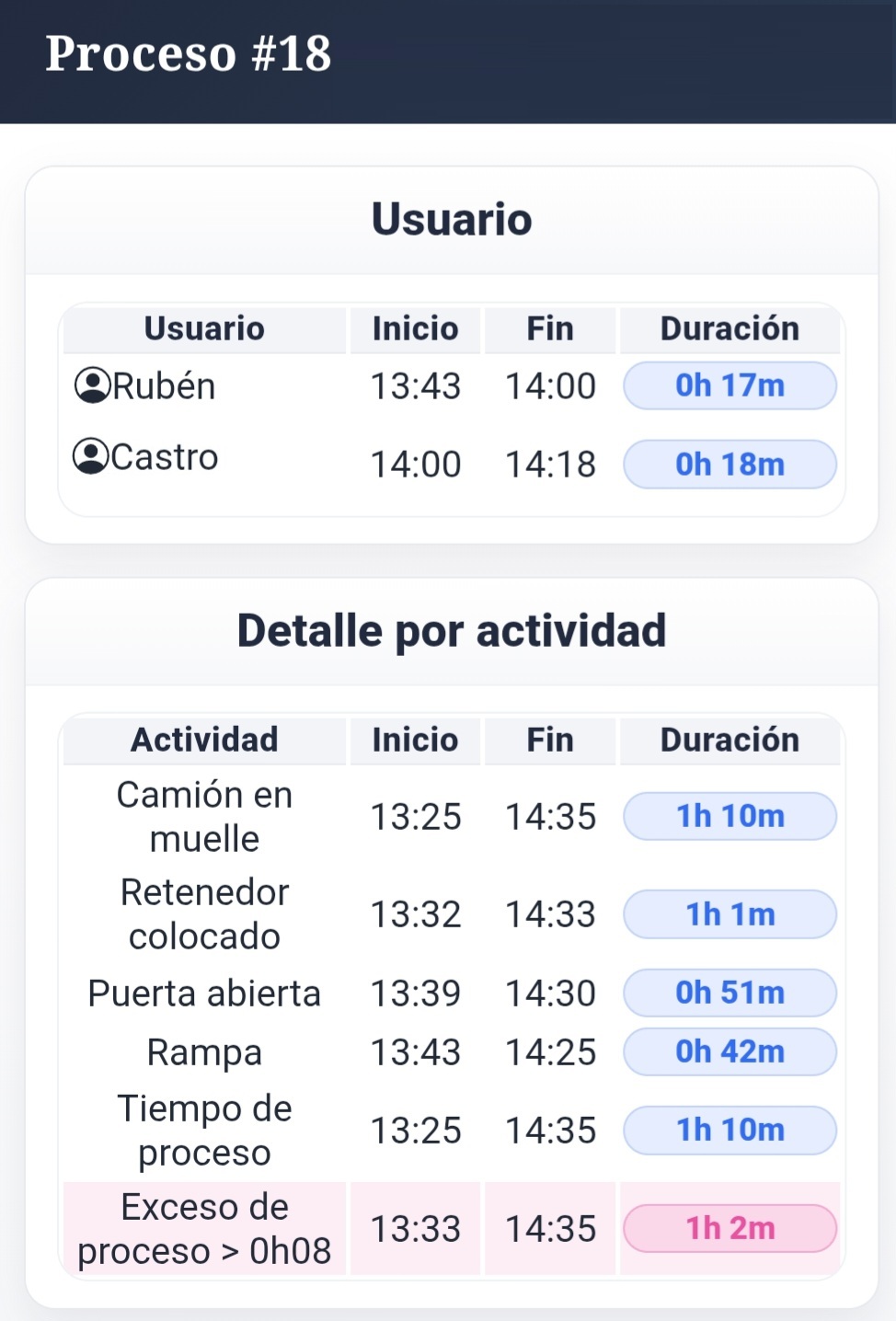
Analytics connect stage durations with the operators involved and expected times. These original reports show the detail of two sessions.
Utilization, sessions, peak hours and door-open time.
Optimal sessions, average duration, idle time and comparisons.
Frequency and distribution by category, day and time of day.
Filters by date, dock and zone · PDF / Excel reports
06 / Operational value
Locate the stage where a delay occurs and examine its context.
Connect operators, coordinators and office teams with a common view of every session.
Compare actual and expected times to guide process improvements.
Software connected to business
Designing and developing tools for real processes, from device integration to the user experience.